Build a self-filtering Excel dashboard with FILTER, SORT, and structured table references, no PivotTable required
No refresh button, no PivotTable, just a dropdown and a formula that already knows your table changed.
Tutorials, tips, and deep dives on Power BI & Data Modeling — every post from bianca.codes tagged Power BI & Data Modeling.
No refresh button, no PivotTable, just a dropdown and a formula that already knows your table changed.

One clean Excel table and a Word template are all it takes for forty personalised reports, once the wizard is driven properly.

One drop-down cell, four XLOOKUP formulas, and every number on the dashboard updates itself - no PivotTable, no slicer, no VBA in sight.
Paste Link turns three Excel cells into a PowerPoint object that updates itself, once you stop letting the linked range look like a spreadsheet.

Nobody decided to build a database out of that 80-tab workbook - it ended up doing a database's job without any of a database's guarantees.

Python in Excel can't write a file, but it can turn a transaction table into a chart that lives in the workbook and never goes stale - in one =PY() cell.

Copying a query and tweaking the copy feels efficient. It isn't - three copies of the same logic is three places to update and three ways for it to drift.

The same trim-and-title-case steps are copy-pasted across three of your queries - write them once as a function instead, and fix the rule in one place.

You've built the same cleanup steps in four different queries. A custom function is how you write them once and call them from all four.

REDUCE is the most powerful of the functional array functions and the most overlooked. The lambda which means you can accumulate strings, and replace calculations that used to need VBA.

LAMBDA, MAP, REDUCE, SCAN, BYROW. These are functional programming primitives. Excel is shipping them one by one, and most users are still writing nested IFs. The spreadsheet you learned in 2015 has been quietly replaced by something much more powerful.

You'll build a dropdown list that reads from a structured table and includes every new row automatically. No named range maintenance, no 'why isn't my new entry showing up' moments.

In a small team, you're the analyst, the engineer, the dashboard designer, and the person who explains what a p-value is at the all-hands.

The analysts who get traction aren't the fastest at pulling data, they're the best at unpacking what was actually being asked. The skill is asking good questions, and nobody trains for it.

Step-by-step from a blank flow, including how to handle the parts that break the first time.

Automation bias is real: if you can automate something, it feels like you should. But some processes contain judgement calls that automation silently gets wrong, edge cases that require human revie…

You can't build every dashboard that gets requested. But 'no' lands differently depending on how you say it — and most data people either say yes to everything and resent it, or say no in ways that…

SUMIFS and COUNTIFS are great — until your data has 500,000 rows and Excel is grinding. Part 2 shows how to do everything your SUMIFS does, but with pandas groupby — faster, more flexible, and on d…

XLOOKUP, LET, LAMBDA, BYROW, SCAN, MAP — Microsoft shipped more genuinely useful functions in the last three years than in the previous decade. If you learned Excel before 2022 and haven't revisite…

The more competent you get, the less people see the effort behind what you deliver. A clean dashboard looks effortless. A fast turnaround looks like it was always fast.
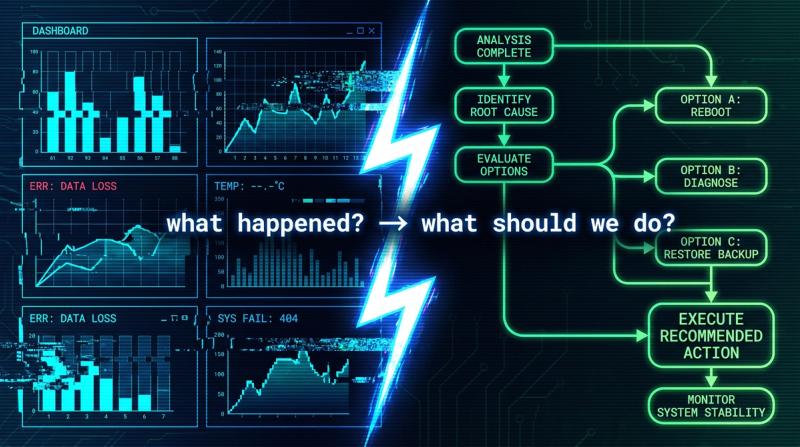
Most dashboards answer the question 'what happened?' Very few answer 'what should we do?' The gap isn't data — it's intent. A dashboard built for the former often actively gets in the way of the la…

They ask for a pie chart when they need a bar chart. They ask for a table when they need a trend line. This isn't ignorance — it's that they're translating a question into a visual type without kno…

You delivered a clean model, a solid dashboard, a real solution — and got a blank look in the room. The work was right. But explaining technical work to someone who doesn't share your frame of refe…
You'll build a reusable Power Query that finds the most recent entry per group - the kind of query that normally tempts people into messy MAXIFS workarounds in Excel. We're doing it properly, wit…

Stop cringing. There's a way to talk about your accomplishments in Excel and Power BI that sounds competent, not arrogant. It's all about framing.

Complex formulas aren't the problem. Unreadable ones are. Before LET, you had to repeat the same range reference six times or accept that your formula was a black box. LET gives you named variables in

The advice is everywhere: if you're serious about data, you need SQL. But for most analysts already working in Excel and Power BI, the gap isn't SQL knowledge - it's data modelling instinct. Here…

You deliver good work consistently, your manager knows you're reliable — and yet somehow you're invisible at promotion time. The problem isn't your output. It's that you've never made your work l…